Buying a Gift Card
We offer electronic gift cards, which can be redeemed at any of our stores or online. Choose the type of e-gift card that's most convenient for you and your recipient.
For instructions on using the electronic gift card to purchase merchandise online, see Payment Options.
| Electronic Gift Cards | ||
|---|---|---|
| What form do gift cards take? | Virtual (can be printed out) | |
| How are gift cards sent to the recipient? | By email (available for use within hours) | |
| Can I buy a gift card alongside other purchases? | No | |
| What's the shipping cost? | Free | |
| When do gift cards expire? | Never | |
| Is there a fee to purchase? | None | |
| Can I use a gift card to get cash or make a payment on my store account? | No | |
| Can I redeem online? | Yes (2) | |
| Can I redeem in a store? | Yes (2), including outlet and factory stores | |
| Notes |
|
|
To Buy an Electronic Gift Card
Our electronic gift cards, or “eGiftCards,” are powered by Pine Labs Private Limited ("Pine Labs") which specializes in secure electronic gift cards for consumers and businesses. eGiftCards can be redeemed only in India.
- At the bottom of this website page, click the Gift Cards link to open the Gift Cards page or use this link to buy an electronic gift card.
- On the page that opens, select the option to buy an electronic gift card.
A new window opens, which shows you the purchase path on the Gift card Microsite. You can add a recipient name and a message, select a design for the eGiftCard, Select or type the amount in INR, and type your name (as the sender) and your recipient's email address.
What happens next?
The eGiftCard is sent to your recipient within hours of purchase or on the date you choose. Your recipient gets an email that includes a link to access the eGiftCard online, as well as instructions for redeeming it. The eGiftCard can also be printed, though it's not necessary to do so to redeem it.
After the eGiftCard has been viewed, you receive an email confirming delivery.
If you have questions or concerns, call Qwikcilver customer support at 855-835-3753. It's helpful to have the order number handy (it's in the email you received confirming your purchase).
To Check the Balance of a Gift Card
| For an Electronic Gift Card: |
|---|
|
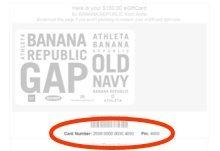
What happens next?
The balance remaining on the gift card appears immediately.
To Add Value to a Gift Card
Due to security reasons giftcards can be redeemed only once. However you can buy new gift cards using the same method mentioned above.
The value of electronic gift cards cannot be changed after purchase.
To Replace a Lost or Stolen Gift Card
| For an Electronic Gift Card: |
|---|
|
If you lost or misplaced your eGiftCard, just click the link in the original email and print it out again. If your eGiftCard was stolen, call Pine Labs customer support at 866-853-9918. Pine Labs can cancel the original eGiftCard and issue you a new one for the remaining value. |
To Return or Cancel the Purchase of a Gift Card
For details and instructions, see Returning a Gift Card.